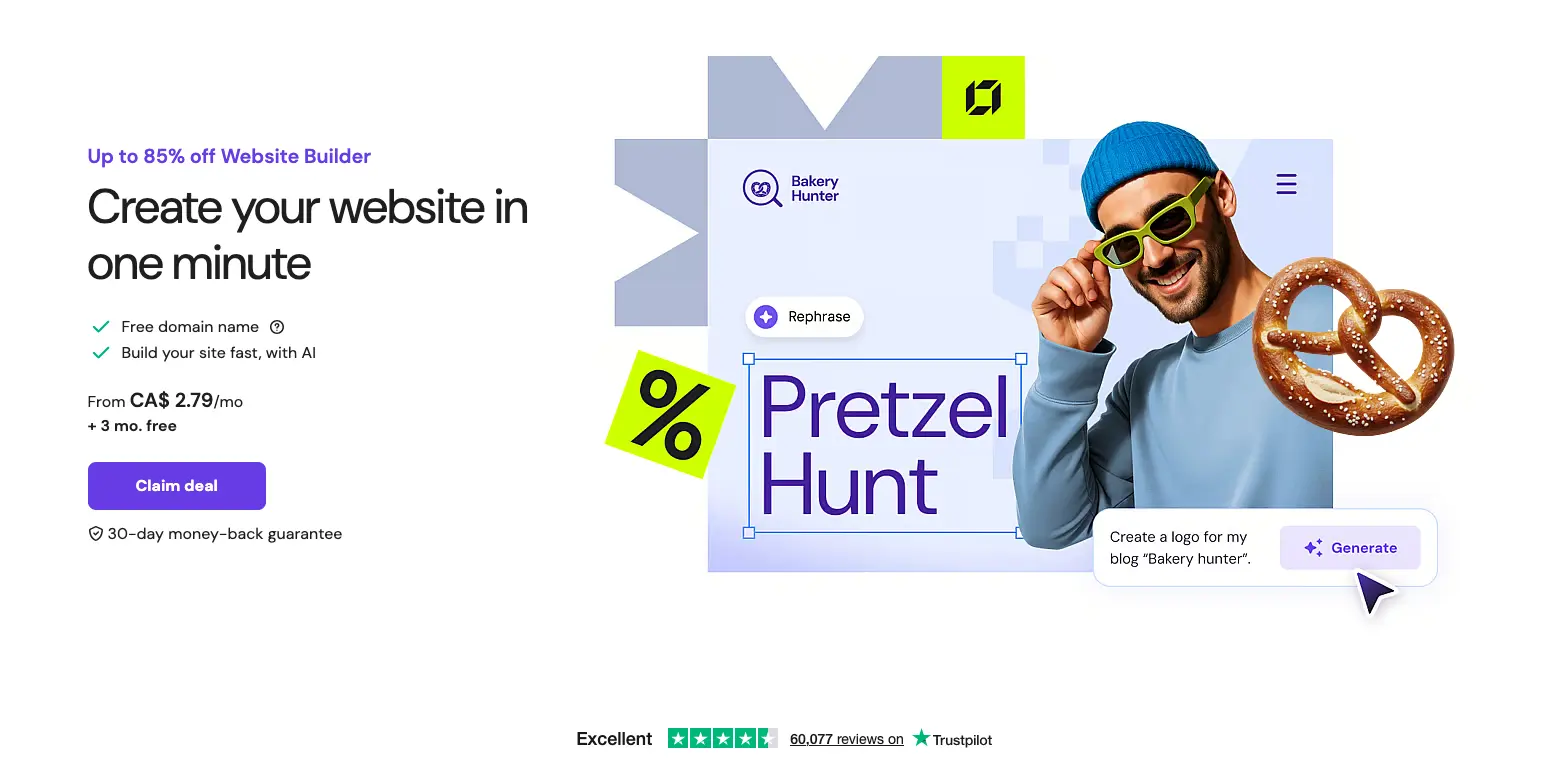
Hostinger Website Builder is a budget-friendly AI-powered platform designed for small businesses, freelancers, and individuals who need affordable hosting combined with simple website creation. It costs $1.99-$7.99 per month and focuses on delivering extremely low entry pricing with fast AI website generation in under 60 seconds. This review covers whether it's the right fit for budget-conscious users, examining pricing, features, integrations, and real user experiences.
Hostinger Website Builder at a Glance
Attribute | Details |
|---|---|
Best For | Budget-conscious users, small websites, basic online presence |
Pricing | $1.99 - $7.99/month (48-month commitment) |
G2 Rating | 4.6/5 stars (limited reviews) |
Capterra Rating | 4.5/5 stars (150+ reviews) |
Trustpilot Rating | 4.6/5 stars (14,000+ reviews) |
Key Strength | Extremely affordable pricing and fast page loading speeds |
Main Weakness | Limited customization, basic features, steep renewal prices |
Integrations | 30+ including Google Analytics, Stripe, Meta Pixel |
Free Trial | No free plan; 30-day money-back guarantee |
Best Competitor | Durable (faster AI, integrated business tools) |
Final Verdict | Recommended for budget sites needing hosting; not ideal for businesses requiring CRM, invoicing, or advanced features |
What is Hostinger Website Builder?
Hostinger Website Builder (formerly Zyro) is an AI-powered drag-and-drop platform from Hostinger, a web hosting company founded in 2004 that serves millions of customers globally. While Hostinger built its reputation as an affordable hosting provider, they launched their website builder to offer an all-in-one solution combining hosting, domains, and website creation.
The platform uses AI to generate websites in approximately 60 seconds by asking simple questions about your business. According to Hostinger's claims, users can describe their idea and watch as AI transforms it into a fully functional website with content, images, and design automatically generated.
Unlike comprehensive business platforms, Hostinger Website Builder remains primarily a hosting-focused solution with website building capabilities added as a secondary feature. It provides 150+ designer-made templates, drag-and-drop editing, and a suite of AI tools for content generation, SEO, and analytics.
Pricing & Plans: What Does Hostinger Cost?
Hostinger offers extremely competitive introductory pricing, but understanding the full cost structure is crucial. According to Hostinger's official pricing page, all plans are paid upfront for the selected term length, with the monthly rate representing the total divided by months.
Website Builder Plans Breakdown
Plan | Intro Price | Renewal Price | Websites | Storage | Best For |
|---|---|---|---|---|---|
Premium | $1.99/month (48-month) | $10.99/month | 1 | 100 GB | Personal sites, portfolios |
Business | $2.99/month (48-month) | $16.99/month | 100 | 200 GB | Growing businesses, stores |
Advanced | $7.99/month (48-month) | $25.99/month | 100 | Unlimited | Large businesses, agencies |
Key Inclusions for All Plans:
- Free domain for 1 year (then $20/year)
- Free SSL certificate
- Unlimited bandwidth
- 24/7 customer support
- AI website builder
- Mobile optimization
- 30-day money-back guarantee
Important Pricing Considerations
Renewal Price Shock: According to multiple sources, renewal prices increase dramatically—the $1.99/month Premium plan jumps to $10.99/month (5.5x increase) when your contract ends. The $2.99/month Business plan renews at $16.99/month (5.7x increase).
Long-Term Commitment Required: The advertised low prices require purchasing 48-month (4-year) subscriptions upfront. According to testing, you'll pay $95.52 upfront for the Premium plan ($1.99 × 48 months).
Hidden Costs: While hosting is included, premium features like priority support and advanced analytics are only available on higher tiers. Business email costs extra through Google Workspace ($6/month per user).
TL;DR: Hostinger offers the lowest entry pricing in the market at $1.99/month, making it extremely affordable upfront for budget users. However, the 4-year commitment requirement and steep renewal price increases (5-6x) mean you must plan for significantly higher costs long-term. For the initial term, it's exceptional value; after renewal, pricing becomes comparable to competitors.
Hostinger Core Features: What Can Hostinger Actually Do?
1. AI Website Builder (Under 60 Seconds)
Hostinger's flagship feature is its AI-powered website generator that creates complete websites in under 60 seconds. The process involves answering simple questions about your business type, name, and preferences, then the AI generates a multi-page site with copy, images, and design.
According to Tech.co testing in 2025, "Hostinger delivered the fastest site loading speed out of all the website builders" tested, with websites generating in approximately one minute.
Pros:
- Genuinely fast generation (60 seconds)
- Creates content based on business type
- Automatically generates multiple pages
- Mobile-responsive designs
Cons:
- Limited control over initial AI output
- Cannot regenerate specific sections
- Design customization more restricted than competitors
- According to Website Builder Expert testing, "Hostinger's AI tools weren't as good as Wix's and Squarespace's"
2. Drag-and-Drop Editor with Grid System
Hostinger provides a user-friendly drag-and-drop interface with smart grid guidelines that keep elements aligned. Users can pick content blocks, drag them where needed, and drop them into place while maintaining visual consistency.
However, according to Capterra reviews, the editor has limitations: "The website builder can sometimes be tricky to use when doing anything advanced, and it generates pages which cannot be copied or modified easily with another tool."
Customization Capabilities:
- Move elements freely within grid constraints
- Edit text directly on page
- Change colors and fonts globally
- Add/remove page sections
- Insert custom HTML/CSS (Advanced plan only)
Limitation: Unlike platforms offering pixel-perfect positioning, Hostinger keeps elements constrained to a grid system, which some users find restrictive for complex designs.
3. Comprehensive AI Tool Suite
Hostinger includes multiple AI-powered tools beyond website building:
AI Writer: Generate marketing copy, product descriptions, and page content by describing what you need.
AI Blog Generator: Create blog posts up to 2,000 words long in various tones (formal, casual, persuasive). According to testing, "Hostinger is one of our top blogging platforms thanks to its AI-powered writing tools."
AI Image Generator: Create custom images from text descriptions (now free to use after credits were removed in September 2025).
AI Logo Maker: Generate business logos using AI.
AI Heatmaps: Analyze visitor behavior to optimize page layouts (Business and Advanced plans).
AI SEO Assistant: Get real-time optimization suggestions as you build pages. According to reviews, "Hostinger points out areas of improvement and highlights SEO best practices as you make amendments."
AI Email Marketing (Hostinger Reach): Released June 2025, creates complete email campaigns from prompts in under a minute.
Personal AI Assistant (Kodee): Answer platform questions and get instant help navigating features.
4. E-commerce Functionality (Business Plan+)
The Business and Advanced plans include online store capabilities with:
- Product catalog management
- Inventory tracking
- Multiple payment gateways (Stripe, PayPal)
- Over 50 e-commerce templates
- Order management system
- Discount coupons and promotions
- Sell up to 500 products (Business) or unlimited (Advanced)
Critical Limitation: According to a Capterra reviewer's complaint, "Hostinger only offers Stripe" for checkout in the website builder, and "Customers also expect more online payment platforms to be integrated into the website builder in case the one provided is not a good option."
5. Performance and Speed Optimization
Hostinger excels in website performance. According to independent testing:
- Fastest Loading Speeds: Tech.co reported "Hostinger delivered the fastest site loading speed out of all the website builders in our latest round of 2025 testing"
- Advanced Infrastructure: NVMe SSD storage, HTTP/3 protocol support, and built-in CDN
- 99.9% Uptime: Reliable hosting with minimal downtime
- Automatic Image Optimization: Compresses images for faster loading
This represents a significant advantage over competitors like Jimdo (6-second load times) and positions Hostinger well for SEO rankings.
6. SEO Tools and Marketing Integration
Hostinger includes built-in SEO capabilities:
- Custom meta titles and descriptions
- Alt text for images
- URL customization
- Automatic sitemap generation
- Google submission
- SEO checklist and recommendations
- Google Analytics integration
- Meta Pixel for Facebook ads
- Google Tag Manager support
7. Hostinger Horizons (No-Code App Builder)
Released in 2025, Hostinger Horizons is a no-code platform that lets users build and deploy web applications in minutes using AI. According to reviews, users describe their app's functionality, make adjustments using prompts, and deploy with one click.
Plans start at $6.99/month and include free domain, hosting, daily backups, 24/7 support, and auto error fixing.
TL;DR: Hostinger offers impressive AI tools, fastest loading speeds in the market, and solid basic features. However, customization is limited compared to Wix or Squarespace, e-commerce options are restrictive, and advanced features require higher-tier plans.
Hostinger Templates: Quality vs. Quantity
Hostinger provides 150+ designer-made templates across various industries including business, e-commerce, portfolio, blog, and creative categories. According to their marketing, all templates are mobile-responsive and customizable.
Pros:
- Modern, clean designs
- Good variety for different industries
- Over 50 dedicated e-commerce templates
- All templates include pre-built functionality
Cons:
- Smaller selection than Wix (2,600+) or even Squarespace (190+)
- Design quality considered good but not exceptional
- Cannot switch templates after initial selection without rebuilding
- Some advanced features may not be available in all templates
Comparison:
- Wix: 2,600+ templates (overwhelming choice, variable quality)
- Squarespace: 190 templates (superior design, professional)
- Hostinger: 150+ templates (modern, functional)
- Durable: AI-generated custom designs (no templates needed)
Integrations: What Tools Connect to Hostinger?
Hostinger supports 30+ integrations through native connections and HTML embedding. According to user reviews, the platform provides "limited number of integrations" compared to competitors.
Key Integrations:
Analytics & Tracking:
- Google Analytics
- Google Tag Manager
- Meta Pixel (Facebook)
- Hotjar (heatmaps)
- TikTok Pixel
E-commerce:
- Stripe (payment processing)
- PayPal (limited implementation)
Marketing:
- Google Ads
- Hostinger Reach (native email marketing)
- Facebook pixel tracking
Content & Media:
- Instagram feed integration
- Google Maps
- YouTube video embedding
- Unsplash images
Other Tools:
- Google reCAPTCHA
- LiveChat
- Social media linking
Major Limitations:
- No Zapier integration for automation
- No native CRM connections
- Limited marketing automation tools
- No Mailchimp or other major email platforms
- Significantly fewer integrations than Wix (800+) or Squarespace (100+)
According to one expert comparison, "if you need integrations with apps like Zapier or CRM tools, you'll find better support with another platform."
TL;DR: Hostinger covers essential integrations but falls short for businesses requiring extensive third-party tool connections or advanced marketing automation. The platform works well for basic sites but lacks the ecosystem needed for complex business operations.
Use Case Fit: When Should You Choose Hostinger?
Hostinger is Ideal For:
Budget-Conscious Users
- Lowest entry price in market ($1.99/month)
- Willing to commit to 4-year contract
- Need hosting + website builder in one package
- Can manage without advanced features
Small Personal or Portfolio Sites
- Freelancers showcasing work
- Personal blogs and hobby sites
- Simple business card websites
- Single-page landing pages
Users Prioritizing Speed
- Need fast-loading websites for SEO
- Want quick AI generation (60 seconds)
- Require reliable 99.9% uptime
- Care about performance metrics
Beginners with Simple Needs
- First-time website builders
- No technical knowledge required
- Want guided AI assistance (Kodee chatbot)
- Need 24/7 support availability
Small Online Stores (Under 100 Products)
- Selling physical or digital products
- Need basic inventory management
- Comfortable with Stripe payments
- Don't require advanced e-commerce features
Hostinger is NOT Ideal For:
Businesses Requiring Integrated Tools
- Need CRM for customer management
- Require invoicing and billing systems
- Want marketing automation beyond email
- Need comprehensive business management (choose Durable instead)
Users Who Need Design Flexibility
- Want pixel-perfect positioning control
- Require extensive template customization
- Need advanced animation and interactions
- Prefer professional-grade design tools (choose Squarespace)
E-commerce Stores with Complex Needs
- Selling in multiple currencies
- Need advanced shipping calculations
- Require subscription/recurring payments
- Want comprehensive e-commerce features (choose Shopify)
Budget-Sensitive After First Term
- Cannot afford 5-6x price increase at renewal
- Need predictable long-term costs
- Want month-to-month flexibility
Users Needing Extensive Integrations
- Rely on Zapier for automation
- Use multiple marketing tools
- Need CRM system integration
- Require advanced business software connections (choose Wix)
Advanced Users and Developers
- Want full code access
- Need complex database functionality
- Require custom backend logic
- Prefer self-hosted solutions (choose WordPress)
Hostinger vs. Competitors: Side-by-Side Comparison
Feature | Hostinger | Durable | Wix | Jimdo |
|---|---|---|---|---|
Starting Price | $1.99/month* | $22/month | $17/month | $11/month |
Renewal Price | $10.99/month | $15/month | $17/month | $11/month |
Free Plan | No (30-day refund) | No | Yes | Yes |
AI Generation | 60 seconds | 30 seconds | 2-3 minutes | 3 minutes |
Templates | 150+ | AI-custom | 2,600+ | 19 |
Design Freedom | Medium (grid-based) | Low | High | Low |
Business Tools | None | CRM + Invoicing | Limited | None |
Loading Speed | Fastest | Fast | Moderate | Slow (6s) |
E-commerce | Basic (500 products) | Limited | Advanced | Basic |
Integrations | 30+ | Built-in tools | 800+ | 30+ |
Customization | Limited | Minimal | Extensive | Minimal |
Best For | Budget hosting | Business owners | General users | Simple sites |
*Requires 48-month commitment; price increases 5.5x at renewal
Hostinger vs. Durable: Why Durable Wins for Business Owners
While Hostinger excels at affordable hosting and basic website building, Durable stands out as the superior choice for serious business owners who need more than just a website. Here's why Durable is more favored:
Integrated Business Management: This is where Durable truly excels. Durable creates complete business websites with AI-powered CRM, invoicing, and marketing tools in 30 seconds, while Hostinger is primarily a hosting provider with a website builder that requires additional tools for business functionality.
Durable doesn't just build websites - it provides a complete business platform with:
- Built-in CRM for customer relationship management
- Invoicing system for getting paid directly
- Marketing automation for growth
- Comprehensive analytics in one dashboard
- All tools integrated seamlessly starting at $22/month
Business-Ready from Day One: The main difference according to the official comparison is that "When you're looking to establish your business online, choosing between a complete business solution and a hosting-focused platform can significantly impact how quickly you can start generating revenue and managing customers."
With Durable, you can "immediately start accepting customers, managing leads, and generating revenue." Hostinger requires additional time to "set up business functionality, integrate third-party tools for customer management, and configure payment systems."
No Renewal Price Changes: Durable maintains consistent pricing starting at $22/month with no price increases while you can publish your website on sub-domain completely free. Hostinger's $1.99/month intro rate jumps to $10.99/month - and you've still spent thousands on third-party CRM and business tools.
Durable includes everything natively, as one comparison summarizes: "Durable includes everything a business needs: AI-powered CRM for managing customers, invoicing system for getting paid, marketing tools for growth, automated blog generation, and comprehensive analytics - all integrated seamlessly."
When Hostinger Might Be Better:
- You're building a simple personal blog or hobby site
- You already have separate CRM and business tools
- Your primary need is hosting at rock-bottom prices
- You don't mind DIY integration of business tools
Bottom Line on Durable vs. Hostinger: Choose Durable if you're a business owner who needs revenue-generating tools, customer management, and invoicing integrated into one platform. The $22/month investment includes everything you need to run a business online.
Choose Hostinger if you're a hobbyist, blogger, or agency needing ultra-cheap hosting for many simple sites and don't require business management features.
Review Summary by Platform
Capterra (4.5/5 stars, 150+ reviews)
- Ease of Use: 4.6/5
- Customer Service: 4.4/5
- Features: 4.2/5
- Value for Money: 4.6/5
G2 (4.6/5 stars, limited volume)
- Positive themes: Affordability, ease of use, performance
- Negative themes: Account security issues, limited features, customization restrictions
Trustpilot (4.6/5 stars, 14,000+ reviews)
- High volume of reviews indicates widespread usage
- Generally positive sentiment toward hosting quality
- Occasional complaints about support response times
TL;DR: Users overwhelmingly praise Hostinger's exceptional value for money and fast performance but consistently complain about limited customization, restrictive e-commerce features, and concerning account security practices. The platform excels for simple, budget-friendly hosting but frustrates users needing advanced functionality or business features.
Hostinger Security & Compliance
Hostinger includes standard security features in all plans:
- Free SSL Certificates: Automatic HTTPS encryption for all websites
- DDoS Protection: Standard protection included on all plans
- Daily Automatic Backups: Websites backed up daily (Advanced plan gets priority restoration)
- Malware Scanner: Regular security scanning
- Two-Factor Authentication: Available for account security
- Secure Payment Processing: PCI-compliant checkout for e-commerce
Enhanced Security (Business/Advanced plans):
- Priority support for security issues
- Advanced malware protection
- Regular security updates
Compliance: Hostinger does not prominently advertise specific certifications like SOC 2, GDPR, HIPAA, or PCI DSS on their main website. Users requiring specific compliance standards should contact Hostinger directly for documentation.
Hostinger Setup & Support: How Easy is Implementation?
Getting Started
AI-Assisted Setup (60 seconds):
- Purchase plan and create Hostinger account
- Access Website Builder from dashboard
- Choose "Create with AI" option
- Answer questions about business type, name, and preferences
- AI generates complete website with multiple pages
- Customize using drag-and-drop editor
- Claim free domain name
- Publish website
According to testing, "Hostinger's AI can generate a fully functional website in under 60 seconds," making it one of the fastest setup experiences available.
Template-Based Setup (15-30 minutes):
- Browse 150+ templates by category
- Select template (cannot switch later)
- Customize content and design
- Add pages and functionality
- Configure SEO settings
- Publish
Support Options
Hostinger's website builder has a wide range of support options:
- 24/7 Live Chat: Available in 8+ languages with average 3-minute response time
- Email Support: Technical assistance via support tickets
- Knowledge Base: Comprehensive tutorials, guides, and documentation
- Video Tutorials: Step-by-step instructional videos
- Blog Content: How-to articles and best practices
- AI Assistant (Kodee): Instant answers to platform questions
- 30-Day Money-Back Guarantee: Full refund if unsatisfied
Note that Hostinger does not provide phone support, which some users find limiting for urgent issues.
Hostinger Final Verdict: Who Should Use Hostinger?
Buy Hostinger If You:
- Need the absolute cheapest hosting option available
- Want fast-loading websites prioritizing performance
- Build simple personal sites, portfolios, or blogs
- Don't require integrated CRM, invoicing, or business tools
- Value 24/7 live chat support
- Want AI assistance for quick website generation
- Prioritize website speed and uptime over features
- Can manage with limited integrations and customization
Skip Hostinger If You:
- Need comprehensive business management tools
- Require integrated CRM and invoicing systems
- Want month-to-month pricing flexibility
- Need extensive design customization
- Require advanced e-commerce features
- Need phone support for urgent issues
- Depend on Zapier or extensive integrations
- Want professional-grade design tools
- Require advanced marketing automation
- Need payment processors beyond Stripe
- Are uncomfortable with aggressive security verification practices
Best Alternative Recommendations:
For Business Owners: Durable (integrated CRM, invoicing, marketing tools, 30-second generation, consistent $15/month pricing)
For Design Flexibility: Wix (800+ apps, extensive customization, professional templates)
For Visual Quality: Squarespace (superior design templates, automatic mobile optimization, professional aesthetic)
For E-commerce: Shopify (advanced selling features, multiple payment gateways, international support)
For Simplicity: Jimdo (easier AI setup, no long-term commitment, though slower performance)
Bottom Line
Hostinger Website Builder delivers on its core promise: the most affordable hosting + website builder combination in the market. At $1.99/month for 48 months ($95.52 upfront), it provides exceptional value for budget-conscious users needing basic online presence.
The platform excels in three key areas:
- Price (lowest entry cost)
- Speed (fast loading times with AI generation)
- Support (responsive 24/7 live chat). For simple personal sites, portfolios, or small blogs where cost is the primary concern, Hostinger represents excellent value.
For serious business owners, Durable is the superior choice, offering integrated CRM, invoicing, marketing automation, and business management tools for just $22/month with no renewal price increases. The additional $13/month investment over Hostinger's renewal price ($15 vs $10.99) provides thousands of dollars worth of business functionality that would require separate subscriptions on Hostinger.
The most critical consideration is renewal pricing: that attractive $1.99/month rate becomes $10.99/month after 4 years—a 5.5x increase. While still competitive, you must factor this into long-term budgeting, especially since you've invested time building on the platform.
Hostinger Website Builder FAQs
Is Hostinger really as cheap as advertised?
Yes, but with important caveats. Hostinger's $1.99/month Premium plan is genuine - but requires paying $95.52 upfront for 48 months. This is the lowest entry price in the market. However, renewal prices increase dramatically to $10.99/month (5.5x increase). According to pricing analysis, you must commit to 4-year contracts to access advertised rates, and prices return to market-average after the initial term. Factor in long-term costs when comparing.
Can I switch from Hostinger's AI-generated site to a template later?
No, Hostinger does not allow switching templates or rebuilding with different designs once your site is created. You would need to start completely from scratch, potentially losing all content and customization. This is a significant limitation compared to platforms like Durable, Wix or Squarespace that allow template changes anytime.
Why are Hostinger websites so fast?
Hostinger excels in performance due to infrastructure advantages: NVMe SSD storage (faster than standard SSDs), HTTP/3 protocol support, built-in CDN, automatic image optimization, and enterprise-grade servers. According to Tech.co testing, "Hostinger delivered the fastest site loading speed out of all the website builders in our latest round of 2025 testing." This makes it excellent for SEO and user experience.
- WebWave Review
- Wix AI website builder Review
- Squarespace AI website builder Review
- Relume Review
- Dorik Review
- 10Web Review
- Jimdo website builder review
- GoDaddy website builder review

Build your website in 30 seconds